Puzzle Kids: Jigsaw Puzzles
RV AppStudiosEducational
4.4396.00 Reviews
- Version
- Varies With Device
- Installs
- 50.00M
- Age Rating
- Everyone
Screenshots
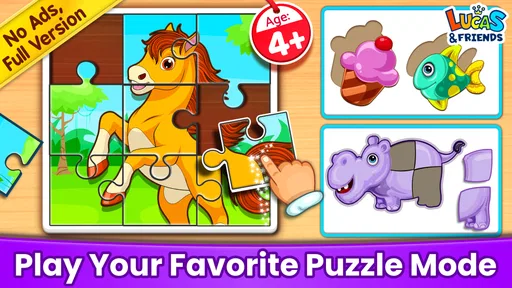
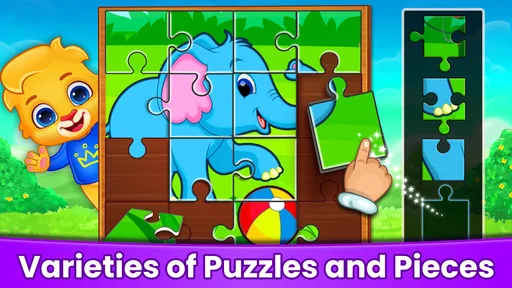
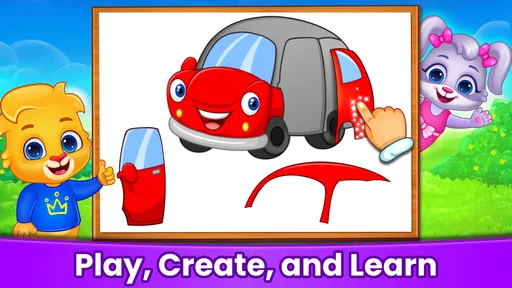
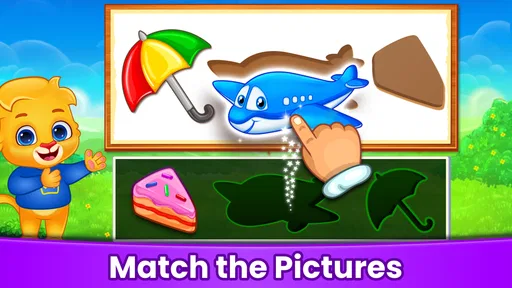
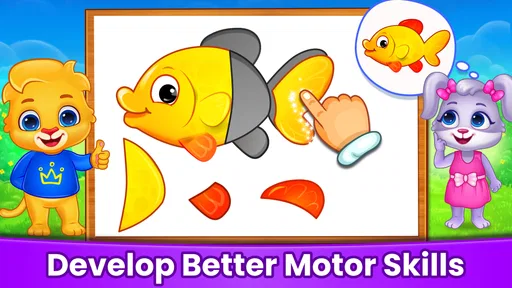
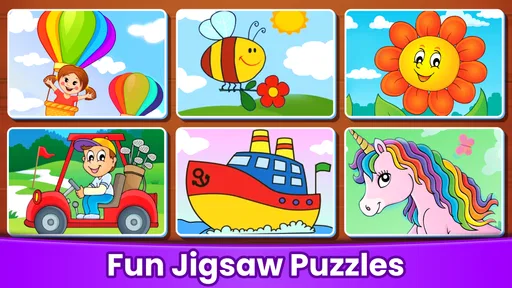
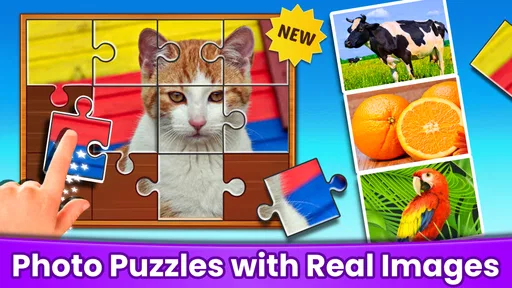
Our Review of Puzzle Kids: Jigsaw Puzzles
 Analysis by Appyee
When I tested Puzzle Kids: Jigsaw Puzzles, I found a children’s game that understands something many educational apps miss: preschool learning works best when it feels like play first. The experience is built around assembling picture puzzles, so a child can practice matching, visual attention, and hand control without being pushed through lessons that feel like schoolwork.
My overall view is positive, with one important qualification. This is a good choice for young children who are beginning to enjoy simple puzzles on a touchscreen, especially when an adult wants a calm activity that does not require reading. It is less suitable for older children who need progressively harder challenges, detailed explanations, or a broader learning curriculum. The game’s strength is its approachable simplicity, not depth.
What the puzzle experience feels like in everyday use
The basic appeal is immediate. A child sees a picture broken into pieces and works out where those pieces belong. That familiar structure makes the game easy to understand even before a child can read confidently. In my experience, that matters more than it sounds: a preschooler can start playing with very little instruction, while a parent can sit nearby and offer occasional hints instead of managing every step.
The touch controls are naturally suited to the activity. Dragging a piece toward the right area gives the child a direct connection between movement and result. A correct placement provides a small moment of success, while a misplaced piece encourages another attempt. That gentle loop makes the game useful for children who are still developing patience and visual discrimination.
I also like that the activity has a clear beginning, middle, and finish. A child can work on a puzzle during a short break, complete it, and stop without losing the thread of a long adventure. That makes it practical for a waiting room, a quiet morning at home, or the final few minutes before bedtime. It is not a substitute for physical play, but it can fill a small gap more constructively than an endless stream of unrelated videos.
The game comes from RV AppStudios and is presented as a free educational game for children and preschoolers. Its Everyone age classification makes its intended audience clear, although parents should still make their own decision based on a child’s maturity and how the device is used. The app supports Android 6.0 and later, which means it can work on many older devices that are no longer ideal for demanding games.
Why the simple design is its biggest strength
The strongest part of this game is the low barrier to entry. A child does not need to remember complicated rules, follow a story, or understand a reward economy. The puzzle itself is the activity. That focus is valuable for a first tablet game because it leaves room for the child to observe, try, make a mistake, and try again.
There is also a useful balance between independence and shared play. A child can attempt a puzzle alone, but the format gives adults natural opportunities to ask questions: “Which shape looks like that corner?” or “What part of the picture is missing?” Those questions turn a short game into a conversation about color, position, size, and visual clues. The app does not have to explain every concept for a parent to use it as a learning prompt.
One practical tip is to avoid treating completion speed as the goal. If a child is struggling, I would encourage looking at the whole picture before moving pieces around randomly. The finished image acts as a visual reference, so children can learn to compare outlines and colors rather than relying only on trial and error. That makes the activity more valuable than simply tapping until something fits.
Another useful approach is to use it in short sessions and stop while the child is still interested. Simple puzzle games can lose their educational value when an adult turns them into a test of persistence. A few completed activities with relaxed guidance are more helpful than insisting on repeated attempts after attention has already faded.
The game’s broad reach also says something about its accessibility. It has passed fifty million installs and holds an average rating of 4.4 from around thirty-nine thousand ratings, with several hundred written reviews. Those figures do not prove that every child will enjoy it, but they suggest that the straightforward format has connected with a large audience. I can understand why: parents often want an activity that a child can grasp without a long setup.
What children can practice without feeling tested
Jigsaw play naturally exercises several early skills at once. Children must notice differences in shape, compare a piece with the visible image, and coordinate a finger movement with a visual target. They also encounter small failures in a safe setting. A piece that does not belong can be moved again, which helps normalize correction instead of making an incorrect answer feel final.
The game can be especially useful for a child who enjoys pictures but is not yet interested in letters or numbers. Some educational apps begin with alphabet drills or counting exercises, and those are important for the right learner. Puzzle Kids offers another route: visual reasoning and concentration through images. I would see it as a companion to other activities, not a complete preschool program.
A less obvious benefit is the way it can support language development when an adult joins in. After a puzzle is finished, asking the child to describe what they see can extend the session beyond placing pieces. The adult might ask about colors, objects, locations, or what happened in the picture. The app supplies the visual starting point; the conversation supplies much of the learning value.
For independent play, the interface is approachable enough that a child can often return to it after learning the basic gesture. That can be useful when parents need a brief hands-on activity while preparing food or handling a small household task. I would still keep the device nearby and avoid assuming that “educational” automatically means unlimited screen time.
The meaningful limitation: simplicity can become a ceiling
The same simplicity that makes the game welcoming also limits its long-term challenge. Children who already complete puzzles confidently may move through the central idea quickly and begin looking for something more demanding. If your child wants rotating pieces, multi-step logic, timed goals, construction tasks, or a strong progression system, a dedicated puzzle game for older children will probably be a better fit.
This is also not the right choice when you want structured teaching in reading, mathematics, science, or phonics. The activity develops useful general skills, but it does not replace an app designed around a specific academic subject. I would choose it for visual play and early problem solving, then use a different tool when the learning objective is letter recognition or number practice.
Parents should also think about how much guidance their child needs. A confident preschooler may enjoy working independently, while a younger or easily frustrated child may need an adult to model how to compare a piece with the reference image. That is not a flaw in the game, but it is an important expectation to set. The app can support learning; it cannot read a child’s mood or adjust its teaching style like a human can.
There is a trade-off between calm repetition and variety. Repeating familiar puzzle actions can help a child build confidence, but it may feel predictable to a child who wants constant novelty. I would watch for that change. If the child starts completing every activity mechanically and immediately asks for something else, the game has probably served its purpose and it may be time to introduce physical jigsaws or a more advanced digital option.
Who should choose it, and how to get more from it
I would recommend this game most strongly to parents of preschoolers who are new to digital puzzles, children who enjoy matching pictures, and families looking for a free activity with a clear learning angle. It is also a sensible option for an older Android device because its minimum operating-system requirement is Android 6.0. The free price removes the need to make a financial commitment before seeing whether the child responds to the format.
It can work well in a shared routine. For example, a parent might let a child complete one puzzle after breakfast, then ask the child to explain the finished image. On another day, the adult could place the device on a table and encourage the child to identify a likely corner piece before dragging anything. These small changes keep the activity from becoming automatic and help the child practice observation rather than only hand movement.
One of my favorite ways to use a game like this is as a bridge to an offline activity. After completing a digital image, I would invite the child to draw a similar scene, sort household objects by color, or try a physical puzzle with larger pieces. The digital version is convenient and forgiving; the physical version adds texture, spatial handling, and a different kind of concentration. Using both prevents the screen from becoming the only place where puzzle skills are practiced.
If your child is sensitive to frustration, begin by staying close for the first few sessions. Instead of immediately showing the answer, point out one clue at a time: a matching color, a straight edge, or a recognizable part of the picture. This turns help into a strategy the child can reuse. Once the child begins spotting those clues independently, step back and let the game become a self-directed activity.
For families comparing it with ordinary children’s video content, the advantage is active participation. The child has to make a choice and control the result rather than simply watch images change. Compared with physical jigsaw puzzles, the advantage is convenience and easy cleanup. The physical alternative remains better for tactile play and for children who enjoy handling real pieces, so I would not regard the app as a replacement.
Compared with larger educational suites, Puzzle Kids is narrower but easier to start. A broad learning app may offer more subjects and a stronger progression path, yet it can also overwhelm a child who only wants a quick visual challenge. This game makes more sense when the goal is a focused puzzle session rather than an all-in-one curriculum. That distinction is important before downloading it.
My final assessment
Puzzle Kids: Jigsaw Puzzles succeeds because it does not overcomplicate its central idea. It gives young children a friendly way to practice matching, concentration, coordination, and persistence through pictures they can understand. The free model and accessible Android requirement make it easy for families to try, while the large install base and 4.4 average rating show that its uncomplicated approach has broad appeal.
My recommendation is strongest for beginners and preschoolers who need a gentle introduction to digital puzzles. I would skip it, or treat it only as a short-term option, for children who already need advanced difficulty or a more complete academic program. The game is not trying to be everything, and that is both its limitation and its advantage.
The best reason to install it is its clear, low-pressure learning loop. Use it in short sessions, play alongside the child when needed, and connect the digital puzzles with conversation or offline activities. With those expectations, it becomes more than a way to occupy a few minutes: it becomes a small, practical tool for helping a young child look carefully, make choices, and enjoy solving something independently.
Verdict
Strengths of Puzzle Kids: Jigsaw Puzzles
- Simple drag-and-drop controls are suitable for young children.
- Colorful artwork keeps puzzle sessions engaging and approachable.
- Multiple puzzle themes offer variety for repeat play.
- Helpful visual feedback makes completing pieces feel rewarding.
- Playable without advanced reading skills or complicated instructions.
Limitations of Puzzle Kids: Jigsaw Puzzles
- Some puzzles may feel too easy for older children.
- Frequent prompts or ads can interrupt the play experience.
- Limited challenge options may reduce long-term replay value.
- Requires careful supervision if the device has in-app purchases enabled.
- Puzzle piece movement can feel imprecise on smaller phone screens.
Other Releases by RV AppStudios
View All
Coloring Games: Color & Paint
Educational4.4

Drawing Games: Draw & Color
Educational4.3

Baby Games: Piano & Baby Phone
Educational4.4

Math Games: Math for Kids
Educational4.5
Similar Picks in This Category
View All
Little Panda Policeman
BabyBus4.0

Monster Trucks Game for Kids 2
Raz Games4.1

Little Panda's Chinese Recipes
BabyBus4.4

Little Panda's Restaurant
BabyBus4.4

Little Panda's Ice Cream Games
BabyBus4.3

Baby Panda Care
BabyBus3.8
Frequently Asked Questions
What is Puzzle Kids: Jigsaw Puzzles?
Puzzle Kids: Jigsaw Puzzles is a child-friendly puzzle game designed to introduce young players to jigsaw puzzles through colorful images and simple gameplay. Children can select a picture, arrange the pieces, and complete the scene by matching shapes and colors. Its accessible design makes it suitable for early learners who are developing concentration, visual recognition, and basic problem-solving skills.
Is Puzzle Kids: Jigsaw Puzzles suitable for young children?
The game is aimed primarily at children, especially preschoolers and early elementary-age players. The puzzles are generally easy to understand, with straightforward controls and bright, engaging artwork. Parents should still check the recommended age range on the relevant app store, since children’s abilities vary. Younger users may also benefit from occasional guidance when first learning how to move and place puzzle pieces.
Does Puzzle Kids: Jigsaw Puzzles require an internet connection?
Puzzle Kids: Jigsaw Puzzles is generally designed to provide a simple gaming experience that can be enjoyed without a constant internet connection, which is useful for travel or offline play. However, certain functions, such as advertisements, purchases, updates, or links to other content, may require internet access. It is best to open the game once online and review its current settings before using it offline.
Is Puzzle Kids: Jigsaw Puzzles free to download and play?
The application can typically be downloaded at no initial cost, but the exact business model may depend on the Android or iOS version available in your region. Free editions may include advertising, optional purchases, or additional puzzle content that is not immediately available. Parents should review the store listing carefully and enable purchase restrictions if children will be playing without supervision.
Does Puzzle Kids: Jigsaw Puzzles contain ads or in-app purchases?
Depending on the version and platform, the game may display advertisements or offer optional in-app purchases. These could include removing ads, unlocking extra puzzles, or accessing additional features. Because store policies and app versions can change, parents should check the latest listing before downloading. Using parental controls and disabling unauthorized purchases is recommended for devices shared with children.
Play our best games!


